Help and support
Help is built into RunSitePro
Once you're on RunSitePro, help is inside the app, whenever you need it: Daiv and the how-to videos in the Help Centre, and the RunSitePro Community, where we and other builders answer. Here's how it works.
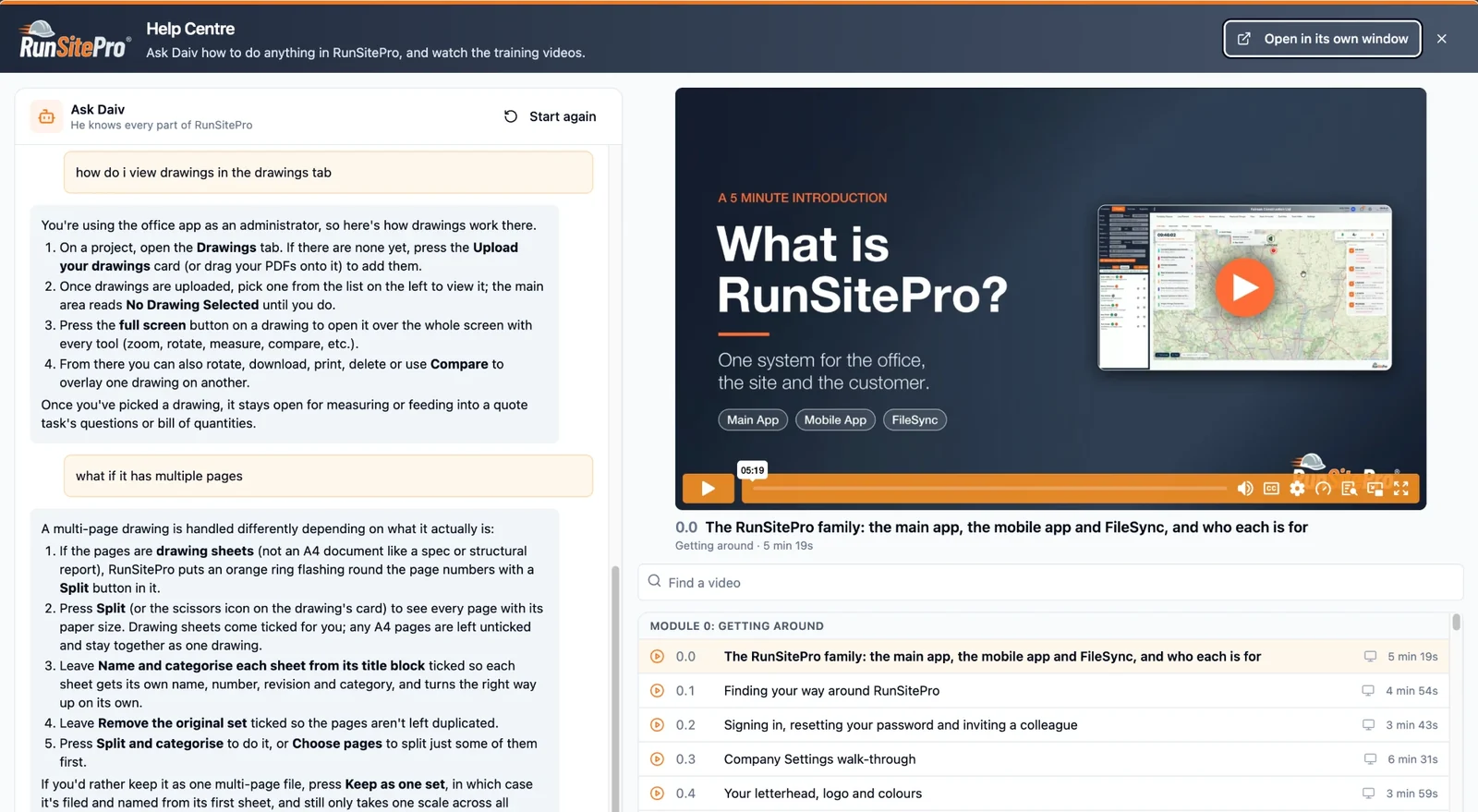
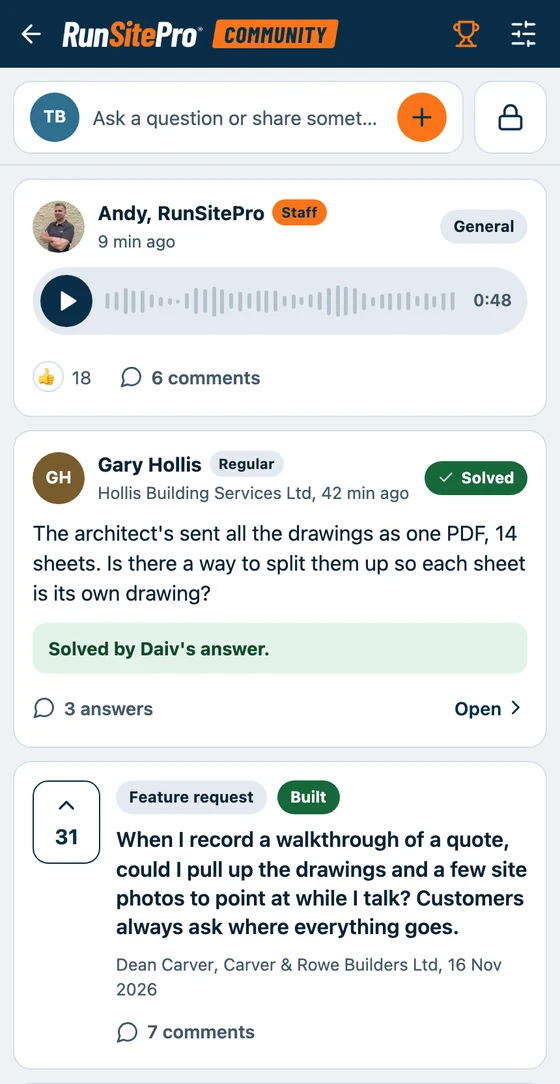
Daiv and the Help Centre
Open the Help Centre, top right of the web app, and ask Daiv how to do something in your own words. He knows every part of RunSitePro, explains it step by step and plays the right one from our library of short how-to videos.
On the phone app, Daiv is in your chats.
The RunSitePro Community
A closed community inside the web app and the phone app, for the staff and subcontractors of the building companies on RunSitePro.
Ask a question and Daiv answers first, then we and other builders can add to it.
Ask us privately
If your question is about your own records, send it to us privately from the same place in the Community.
Only RunSitePro and your company's administrators see it.
The RunSitePro Community
Answers from people who've been there
Most questions have been asked before. In the Community the answer is waiting for the next person, any time of day, from us and from builders who use RunSitePro the way you do.
Your customers never see it, and your office decides who in your company is in.
- Ask a question under Help. Daiv answers straight away, then we and other builders can add to it, and the answer that works is marked Solved for the next person.
- Share tips and ways of working with builders running the same kind of business as you.
- Ask for new features and vote for the ones you want most.
- Hear our news and what's new in RunSitePro first, under From RunSitePro.
- Type, add photos and videos, or record a voice note. Pictures and videos are checked for your customers' details before they're posted.
- Directors and administrators have a topic of their own, which only administrators see.
Getting set up
Set yourself up, or let us do it with you
Set yourself up
A step-by-step guide covers your business details, contracts, accounts and team. Most companies are done in about an hour, and you can stop and come back whenever you like.
Stuck on a step? Ask Daiv, or ask in the Community.
Done-for-you setup
You send us your company details, we set things up with you, then talk you through it all. £500 plus VAT, one-off.
What you need
Nothing to install in the office
The web app
Runs in any up-to-date browser on a PC, Mac, laptop or tablet: Google Chrome (recommended), Microsoft Edge, Apple Safari or Mozilla Firefox.
The phone app
The RunSitePro app for iPhone and Android, for your staff, subcontractors and customers. Included in the plan.
FileSync
Optional, for the office: your project files in Finder or File Explorer, on Mac and Windows. About FileSync
Talk to us
Want to talk about RunSitePro?
Give us a ring about joining, your account, your plan or anything else about RunSitePro. We're always happy to help. For questions about using the app, the Community is often the quickest way to an answer: Daiv replies straight away, and we and other builders are in there too.
Lines are open Monday to Friday, 9am to 4pm, closed on bank holidays. Out of hours, leave a message and we'll get back to you.
Or email info@runsitepro.com. Can't sign in? Call or email us, and we'll help get you back in.